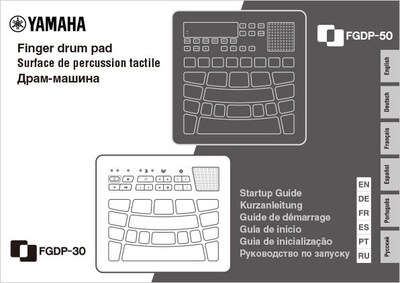
FGDP-50 & FGDP-30 Bonus Content
Lesson Videos
From the fundamental techniques of playing the FGDP to basic 8th notes and 16th notes, and even an introduction to typical phrases and fill-ins across various genres. Master finger drumming with the FGDP and take your skills to the next level.
Basic Lesson Videos
Advanced Lesson Videos
Sound Edit
Yamaha Finger Drum Pad: FGDP Series - Secret of Editing Kits
Music Production
Yamaha Finger Drum Pad: FGDP Series - Beginner's Guide for MIDI and Music Production
Melodics

What is Melodics?
Unlock your rhythm with Melodics, the only app that teaches you to play finger drums like the pros. Built for your FGDP, get real-time feedback, progress tracking and the best sounding beats to play-along to.
How to connect:
Simply sign up for free on the Melodics - FGDP webpage and download the app on your laptop or iPad. Then connect your FGDP to unlock bespoke content to get you leveling up straight away.
Note: The Melodics version must be v4.0.609 or later. To connect to your computer or iPad, please refer to the FGDP User Guide and the Melodics support article for details.
Get Bonus Lessons:
Use the code "FGDP-MELODICS" to unlock bonus lessons. Enter this code at the PROMO CODES menu in Settings. For access to more lessons, courses and exercises, simply subscribe. Please refer to the Melodics support article for details.
Additional Kits for FGDP-50
Ambient House
Yamaha FGDP-50 Finger Drum Pad: Additional Kit - Ambient House
EDM Hard
Yamaha FGDP-50 Finger Drum Pad: Additional Kit - EDM Hard
Liquid Drum'n'Bass
Yamaha FGDP-50 Finger Drum Pad: Additional Kit - Liquid Drum'n'Bass
LoFi 1
Yamaha FGDP-50 Finger Drum Pad: Additional Kit - LoFi 1
Trap 1
Yamaha FGDP-50 Finger Drum Pad: Additional Kit - Trap 1
Backing Tracks for Practice (FGDP-50/FGDP-30)
How to Get Additional Kits / Backing Tracks
The additional kits and backing tracks will be distributed via email to those who have registered their products on Yamaha Music ID. Please follow the instructions below to receive the item, and upon completion of step 2, a URL will be sent to your registered email address that will allow you to obtain the bonus content.
Step 1: Mail Receiving Settings
1. Click the human-shaped icon at the top right corner of the page.
2. If you have not registered on Yamaha Music ID yet, please click “Click here to Sign up” or sign up using a social media account, and then fill in all the required fields.
3. Next, check the box for “I want to receive updates from Yamaha Corporation of America on the latest products, services and marketing promotions.”


Step 2: Product Registration of Your FGDP
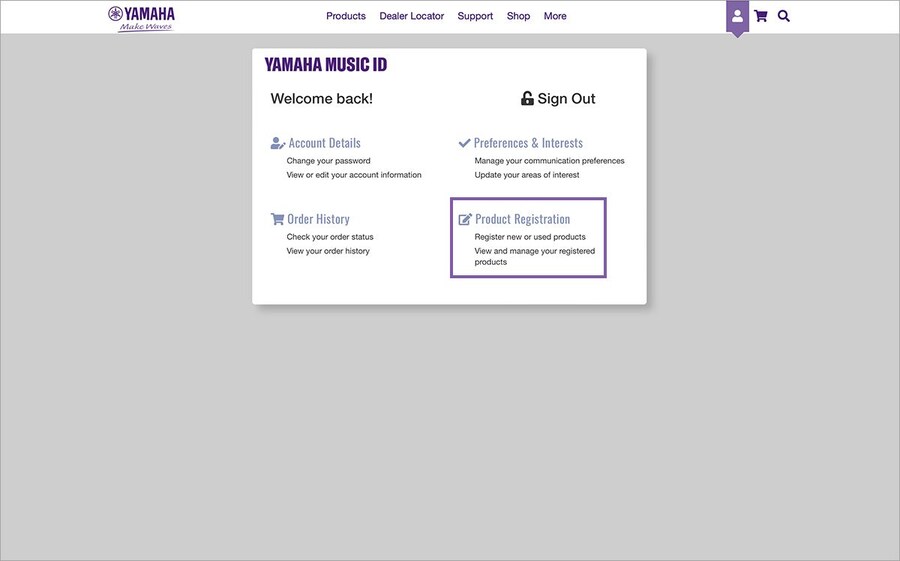
1. Click the human-shaped icon at the top right corner of the page.
2. Next, click “Product Registration”
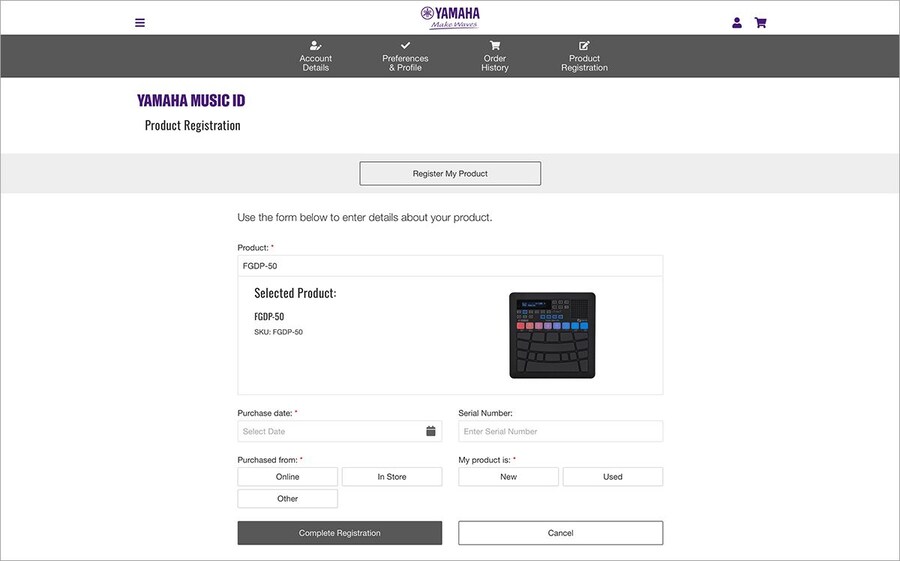
3. Please enter "FGDP-50" or "FGDP-30" into the "Product" text box.
4. Enter all the required details, then click the “Complete Registration” button.