
[Keyboard Instruments / Digital Pianos] What is the difference between MIDI recording and audio recording?
Last Update: 6/17/2020
Each recording method differs in the song file format, the storage location, and the functionality that can be employed.
To take advantage of the various features of the instrument, such as recording each hand separately, or for re-recording performances, use “MIDI recording”.
To create an audio file that can be played on any music player, use "Audio Recording".
On some models, songs created by MIDI recording can be converted to audio files later, so we recommend using MIDI recording.
Check the following details and select the recording method that suits your purpose:
MIDI recording
A MIDI song in SMF (Standard MIDI File) format is created (file extension = .mid).
A MIDI song uses a small amount of data in comparison to an Audio song, and allows you to easily edit aspects of the song, such as Voices, effects, etc.
You can save the songs in the instrument itself or a USB flash drive.
With MIDI recording and MIDI song files, you can perform the following details:
- Record and play right or left-hand performances separately
- Part of the performance can be played repeatedly (A-B repeat)
- Can be edited after recording (re-record part or all the full performance, change tempo, change voice, etc.)
- Song playback and editing can be performed with other electronic musical instruments or computer software
<MIDI Recording>

A: Performance information
B: Saving
* MIDI songs are a data format suitable for playing music on an electronic musical instruments. It cannot be played on general music players or used for video posting sites such as YouTube.
Audio recording
It is saved in wav format of general CD quality (file extension = .wav with 44.1kHz sample rate, 16-bit resolution, stereo).
You can save the song in a USB flash drive only.
With audio recording and audio song files, you can perform the following details:
- Performances can be recorded along with the external audio contents input from the [AUX IN] jack.
- The created audio song can be played directly on a smartphone or music player.
<Audio Recording>
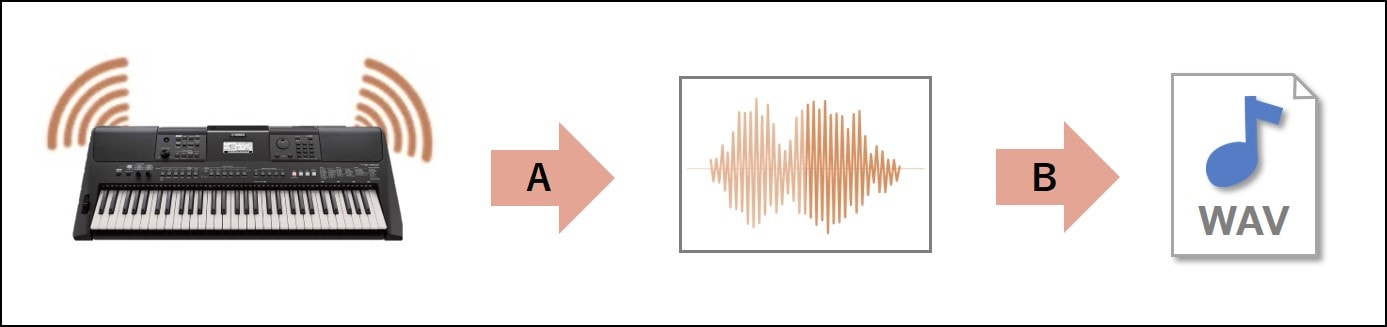
A: Sound
B: Saving
* The created audio song can be copied to a CD, played on various music players or could be used for video posting sites such as YouTube. It cannot be converted to a MIDI song.
Keywords for this question
MIDI song, audio song, recording, different, Digital Pianos, Digital Keyboards, clavinova, CLP series CLP-625B, CLP-625PE, CLP-625R, CLP-625WH, CLP-635B, CLP-635PE, CLP-635R, CLP-635WA, CLP-635DW, CLP-635WH, CLP-645B, CLP-645PE, CLP-645R, CLP-645WA, CLP-645DW, CLP-645WH, CLP-665GP, CLP-665GPWH, CLP-675B, CLP-675PE, CLP-675R, CLP-675WA, CLP-675DW, CLP-675WH, CLP-685B, CLP-685PE, CLP-685PWH, CLP-695GP, CLP-695GPWH, CVP series, CVP-701B, CVP-701PE, CVP-705B, CVP-705PE, CVP-709B, CVP-709GP, CVP-709GPWH, CVP-709PE, CVP-709PWH, CVP-805B, CVP-805PE, CVP-809B, CVP-809GP, CVP-809GPWH, CVP-809PE, CVP-809PWH, CSP series, CSP-150B, CSP-150PE, CSP-150WH, CSP-170B, CSP-170PE, CSP-170WH, Avant Grand, NU1X, NU1XPBW, N1X, N3X, P-series, P-515B, P-515WH, P-255B, P-255WH, Keyboard Instruments, Portable Keyboard, PSR-E463, PSR-EW410, PSR-I500