

DM5 Series New
Forward Thinking
Capture the sound from the stage as-is and overlay the tones you need to bring the artist and audience together. The DM5 series delivers the mix you want every time by bringing speed, certainty, and creativity to the process of building your sound, offering a plethora of functions to support your work in a range of compact formats with polished, intuitive user interfaces. A carefully selected set of controls with freely customizable functions and parameters that elevate your workflow to the next level.
Backed by over three decades of experience in this field, Yamaha provides undeniable reliability and uncompromising audio quality. By integrating seamlessly with your current processes, the DM5 series sets a new standard for professionals who are ready to take their workflows to the next stage.
Compact mixing without compromise
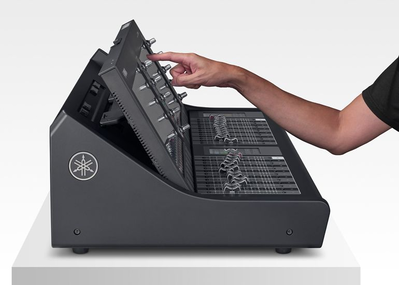
Compact mixing without compromise
Everything you need, nothing you don’t.
Glass keys—Go beyond the limits of physical buttons
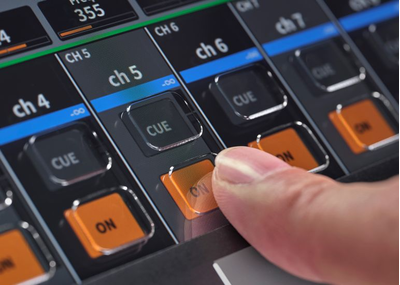
Glass keys—Go beyond the limits of physical buttons
Dynamic labeling that adapts instantly to the task at hand for intuitive control
Tiltable display
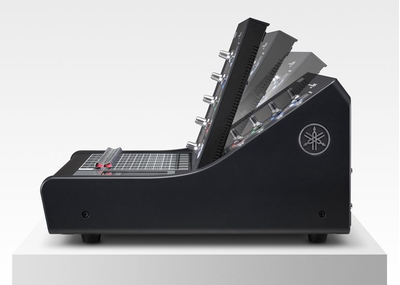
Tiltable display
Angle the display for optimal viewing in any environment
Customizable controls
Customizable controls
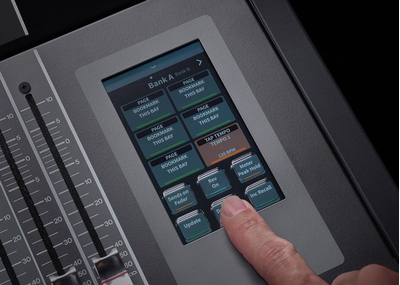
Customize User Defined Keys and Fader Banks on the 4.3″ display for a more efficient, intuitive workflow.
SOUND
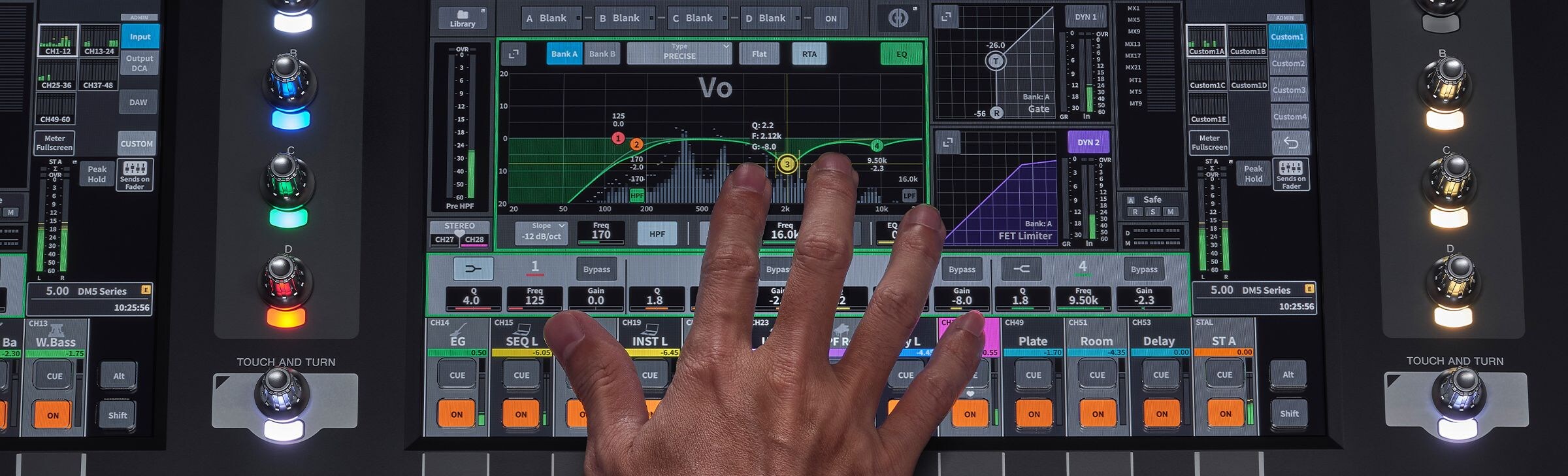
- The DM5 series honors Yamaha’s legacy of transparent sound , capturing sound direct from the stage that you can use to build and layer a mix that’s all your own. With powerful channel strip processing, effects, and plugins running on the PY-DSP, the DM5 series gives you everything you need to give free rein to your creativity and build your mix with confidence.
WORKFLOW
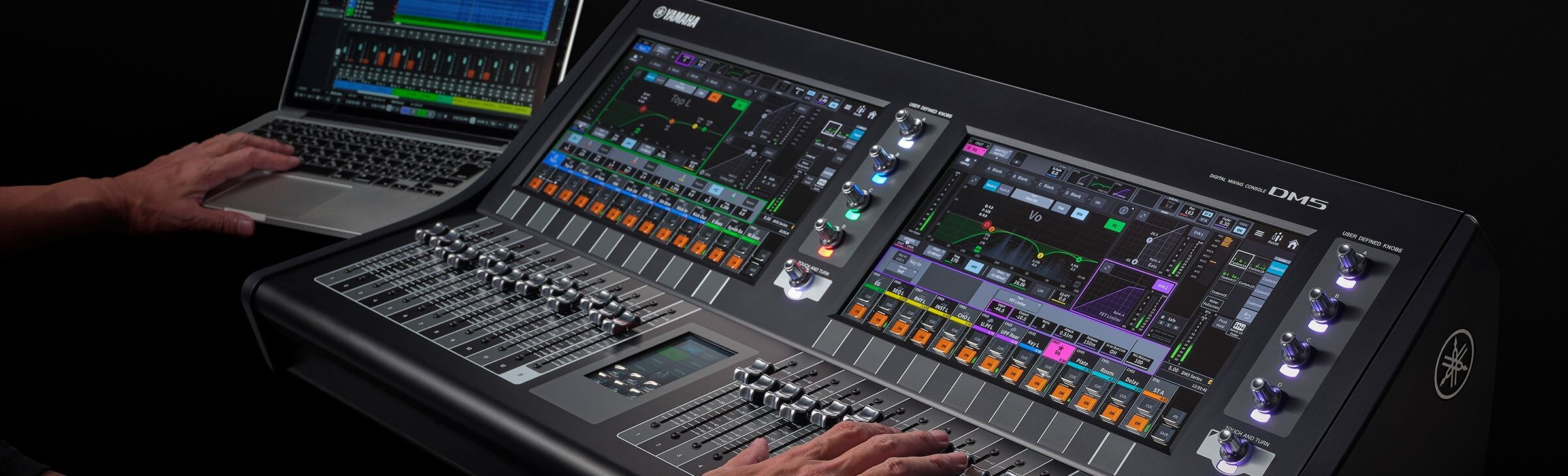
- Everyone has a different workflow, and having your own is key to consistently achieving your sound. The DM5 series lets you tailor the operating styles and parameters for each operator, giving you everything you need to make your current workflow smoother and more intuitive.
CONTROL

- In a digital mixer, control functions are essential for achieving better sound, faster. The DM5 series offers seamless integration with other connected devices for two-way control, as well as remote operation capabilities that enhance your workflow. Together, these capabilities help bring performances to life.
Features
SOUND - Everything you need to take your sound to the next stage -
The DM5 series honors Yamaha’s legacy of transparent sound , capturing sound direct from the stage that you can use to build and layer a mix that’s all your own. With powerful channel strip processing, effects, and plugins running on the PY-DSP, the DM5 series gives you everything you need to give free rein to your creativity and build your mix with confidence.
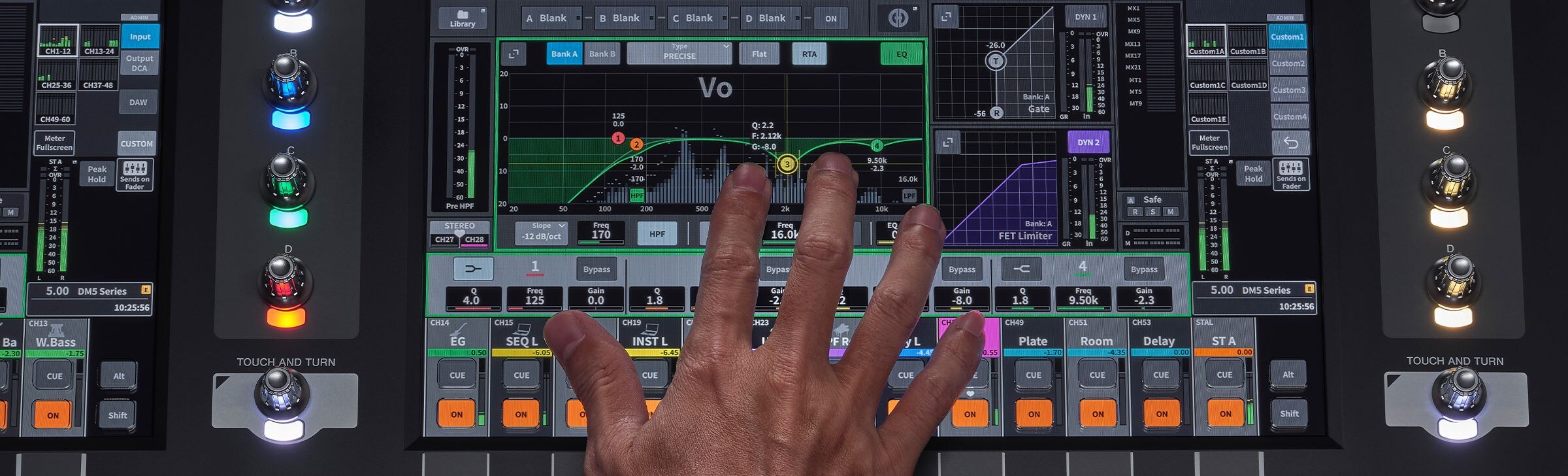
Exceptional sound shaping starts with the channel strip.
Extensive dynamics.
FET Limiter
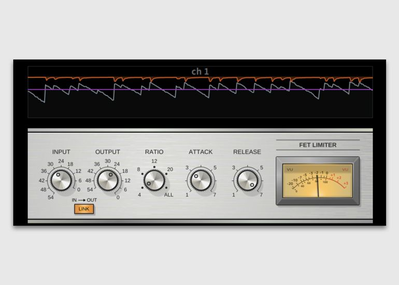
FET Limiter
Control with Punch. Ultra-fast peak control with punch and energy.
Diode Bridge Comp

Diode Bridge Comp
Mix with Glue. Smooth, musical compression that adds depth and cohesion.
Comp 260
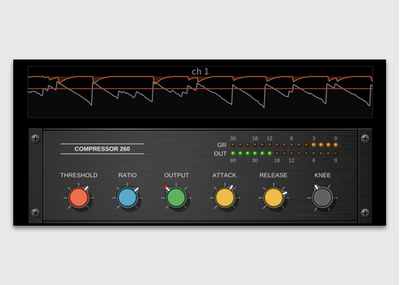
Comp 260
Shape with Impact. Versatile VCA-style compression for punchy drums, powerful instruments, and precise dynamics control.
Legacy Comp

Legacy Comp
Keep It Simple. Straightforward compression for fast setup and familiar operation.
Gate

Gate
Reduce the Noise. Helps reduce unwanted noise and signal leakage.
De-Esser
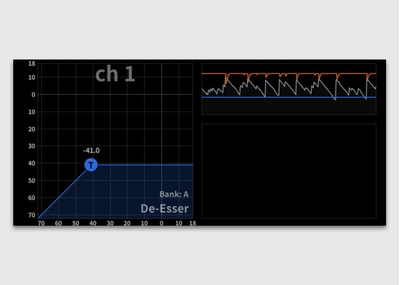
De-Esser
Smooth the Highs. Controls excessive sibilance while maintaining clarity.
Expander
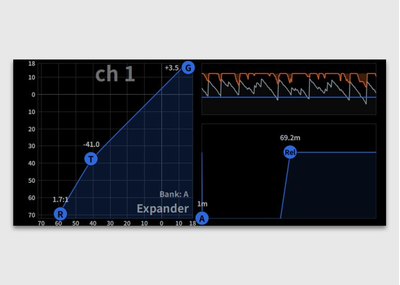
Expander
Preserve Dynamics. Reduces low-level noise while maintaining a natural response.
Ducking

Ducking
Priority Control.
Automatically creates space for priority signals.
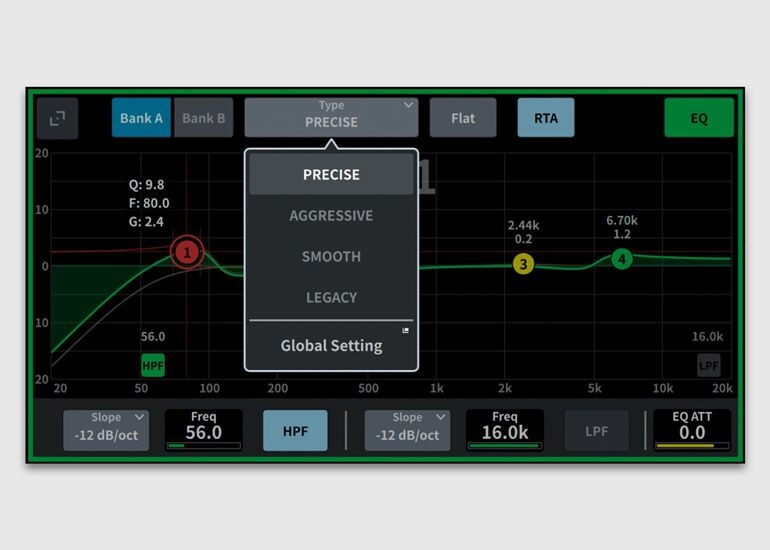
Select from four EQ types to suit your sound sources and the way you build your sound, and use the real-time analyzer (RTA) display to aid in quick adjustment.
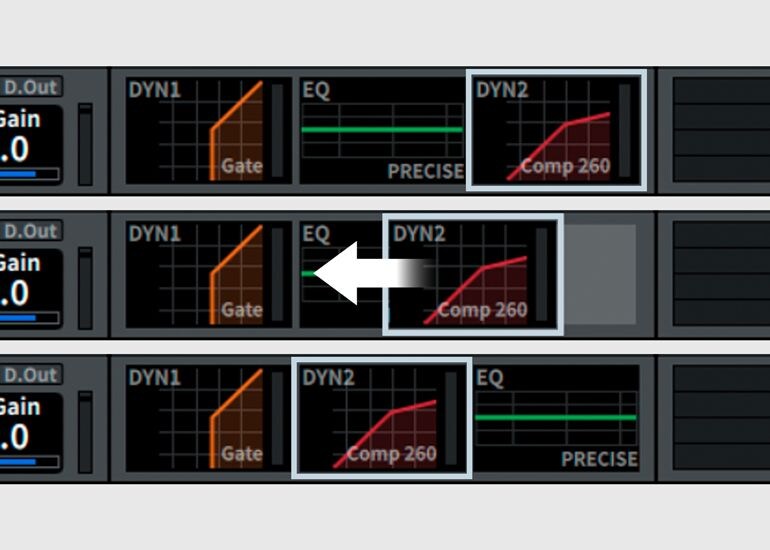
The flexible signal flow of the DM5 series puts you in control of your sound. Reorder processing—such as the EQ and Dyn2 stages—to shape both tone and dynamics with intent
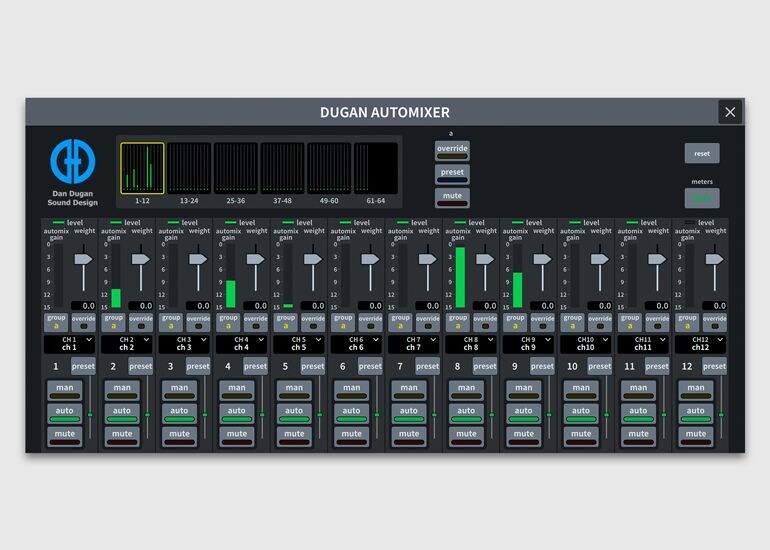
Dugan Automixer makes it easy to reinforce multiple mics while maintaining an overall level that avoids feedback thanks to the Dugan Speech System™ algorithm.
An extensive range of effects and plugins to shape your sound
The built-in multi-effects processor provides 43 high-quality effect types, delivering a powerful toolkit that expands your sound-shaping possibilities.
Reverb
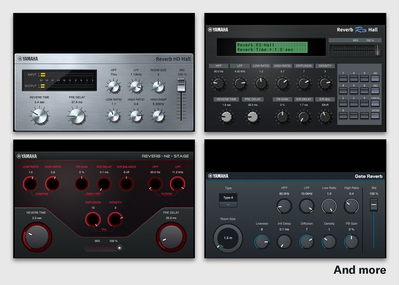
Reverb
Natural reverbs, including “REV HD” and “REV R3,” add a realistic sense of depth and space to your sound. Select your preferred reverb from 13 different types.
Delay
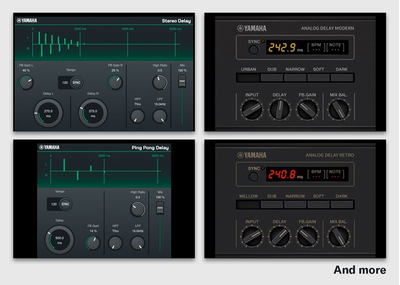
Delay
Choose from 8 types of delay to suit your needs.
Modulation Effect

Modulation Effect
Multiple modulation effects can be used to add character to your sound.
Saturation and Others
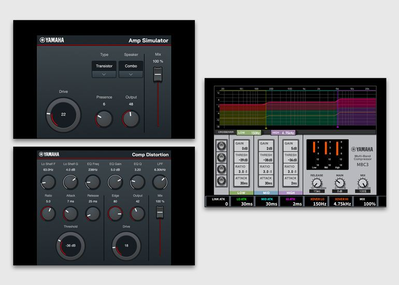
Saturation and Others
Shape your sound with saturation effects such as Amp Simulator, or refine the overall balance of your mix using the MBC3 multiband compressor.
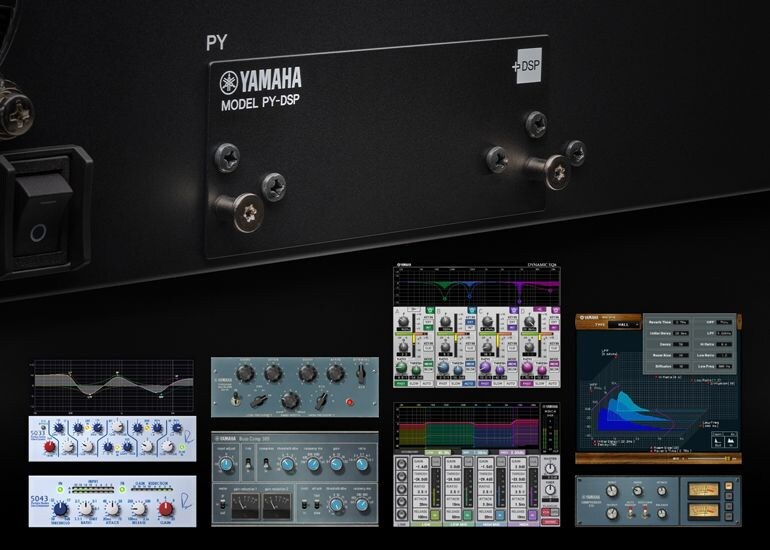
Installing a PY-DSP card in the PY slot enables the use of Premium Rack plug-ins on the DM5 series. The PY-DSP also adds 32 slots (16 × 2) of plug-in processing resources to the DM7 series for sound shaping without compromise.
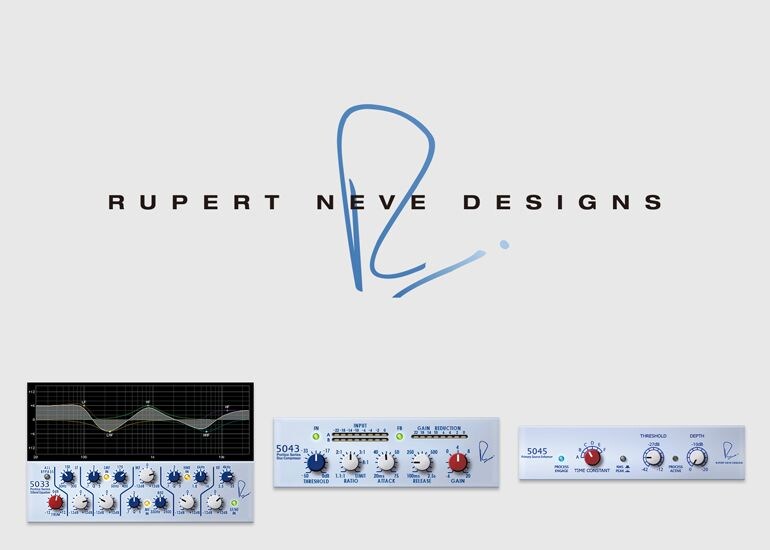
The Premium Rack features a wide range of plug-ins for diverse applications, including the Rupert Neve Designs Portico 5033 equalizer and the Portico 5043 compressor, developed jointly with Rupert Neve Designs, LLC—all designed to take your mixes to the next level.
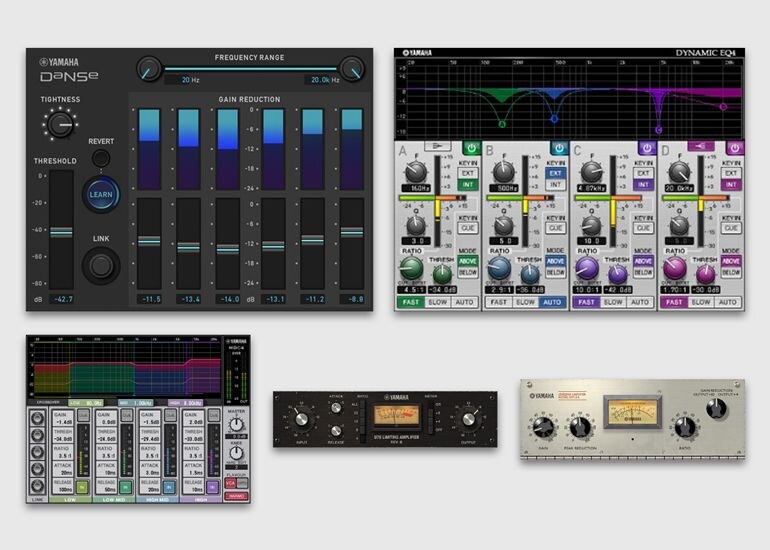
The Premium Rack also comes with numerous Yamaha plugins that are highly regarded by sound engineers, such as Dynamic EQ, multi-band MBC4, Vintage Compressor, and the Dynamic noise suppressor DaNSe.
A full range of I/O to meet your needs
I/O Rack
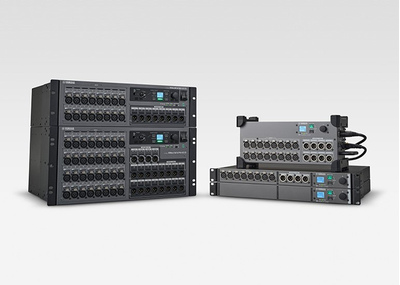
I/O Rack
The DM5 series supports the full range of R series I/O racks, letting you choose the best fit for your needs. All are built on the same concept: capturing sound direct from the stage to provide a solid foundation for sound shaping.
RUio1608SB-D

RUio1608SB-D
For live sound applications, the compact form of the RUio1608SB-D means that it can be placed on stage to capture live sound without getting in the way.
RUio16FLX-D

RUio16FLX-D
The RUio16FLX-D enables flexible assignment of analog I/O and AES Out.
RUio0804-D

RUio0804-D
When you need just a few more inputs or outputs, the RUio0804-D is the ideal solution for a wide range of applications.
R Series (AD/DA): 3rd-generation
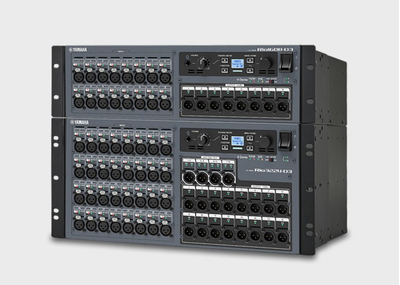
R Series (AD/DA): 3rd-generation
Rio-D3 models deliver high-quality audio across a wide range of applications, from large-scale tours to small live events.
WORKFLOW - Built to evolve with the way you work -
Everyone has a different workflow, and having your own is key to consistently achieving your sound. The DM5 series lets you tailor the operating styles and parameters for each operator, giving you everything you need to make your current workflow smoother and more intuitive.
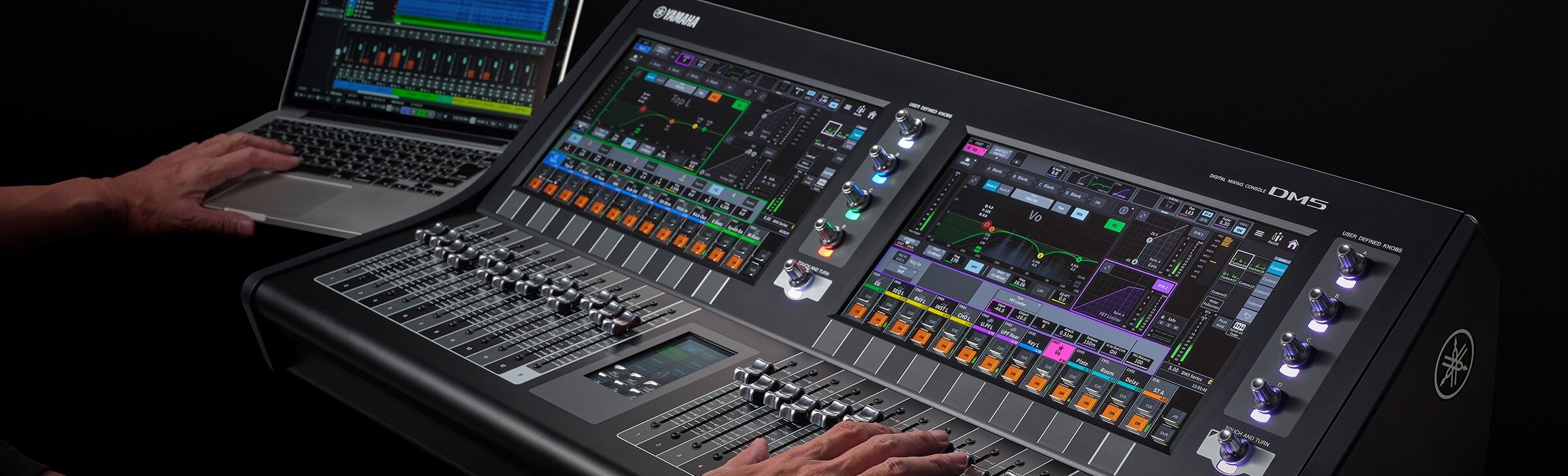
Customize the console to support efficient operations
Glass keys overcome the limits of conventional buttons

New controls combine hardware reliability with software flexibility.
The glass keys on the display provide the tactile response of physical buttons when pressed, while dynamic labeling below the keys labeling enhances usability.
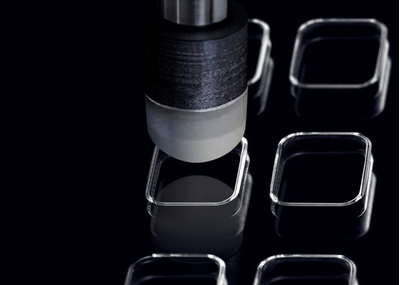
Thoroughly tested for durability, ensuring hardware reliability.
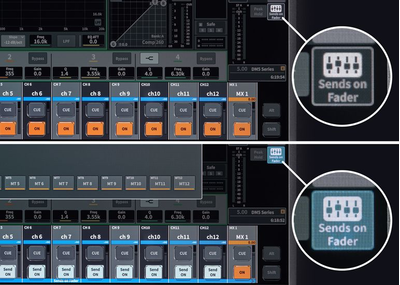
Unlike buttons with printed function names, these keys built into the display can change their labels dynamically to match their functions. For example, when Sends on Fader is active, the “ON” key label changes to “SEND ON.”
The tilted display ensures comfortable operation in any environment
Four adjustable angles ensure that the display can always be set to the perfect position for operation.
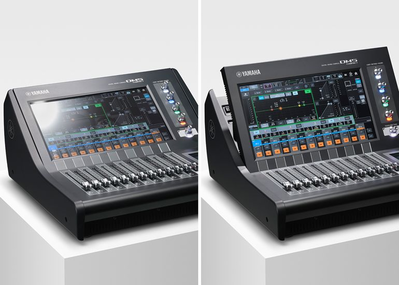
Adjusting the display angle minimizes reflections from sunlight or overhead lighting.
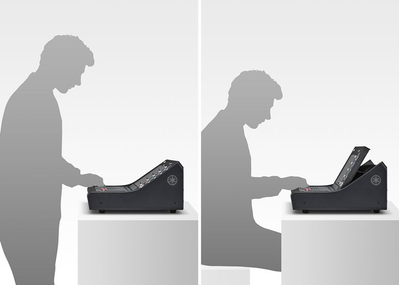
You can find a comfortable viewing angle to suit your working position, whether standing or seated.
Assist—focus on what matters
Assist functions on DM5 and DM7 models let the console help with engineering tasks, reducing setup and preparation time and giving you more time to focus on creative work.

HA Assist suggests optimal head amp levels based on the input signal levels.

Naming Assist suggests channel names and icons based on input signal data.
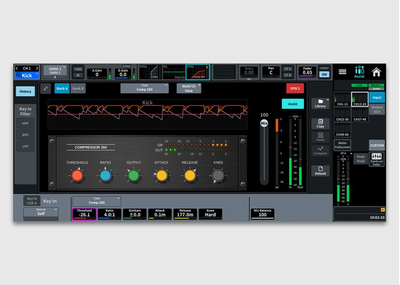
Comp Assist suggests appropriate compressor parameter values based on the audio source, helping you build the foundation of your mix.

Fader Assist suggests a balance of fader levels for the channels it is assigned to.
Tailor Your System. Shape Your Workflow.
Configure DM5 series settings and add optional products to achieve usability and performance tailored to your operating style.
Compact, shallow design—easy to see, easy to reach
DM5 consoles are more than just compact. Designed with the operator in mind, the layout eliminates any unnecessary elements while preserving the space needed for efficient operation. A console depth similar to that of a laptop computer keeps the large 13-inch display within easy reach for intuitive operation. Light and compact, DM5 consoles are easy to transport and set up anywhere, making them ideal for a wide range of applications.
Selected Channel View and Overview—two ways to view your work
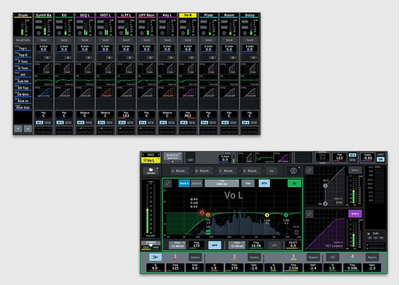
Yamaha mixers provide better operating environments for every stage of use. Choose either the Selected Channel View and Overview screens to suit the needs of individual operators and create a working environment that suits their needs.
When setting up and configuring your system, the Selected Channel View allows at-a-glance monitoring of signal flows for individual channels while you work, while Overview allows monitoring of settings during live performances or when working across multiple channels.
Work in your own language

Channel visibility is a critical factor when it comes to operation speed. DM series consoles support multilingual channel name displays, enabling artist and instrument names to be shown in the operator’s own language for more intuitive operation. (Use the Editor or the StageMix app to input channel names in other languages.)
Expand your system with Broadcast and Theatre packages
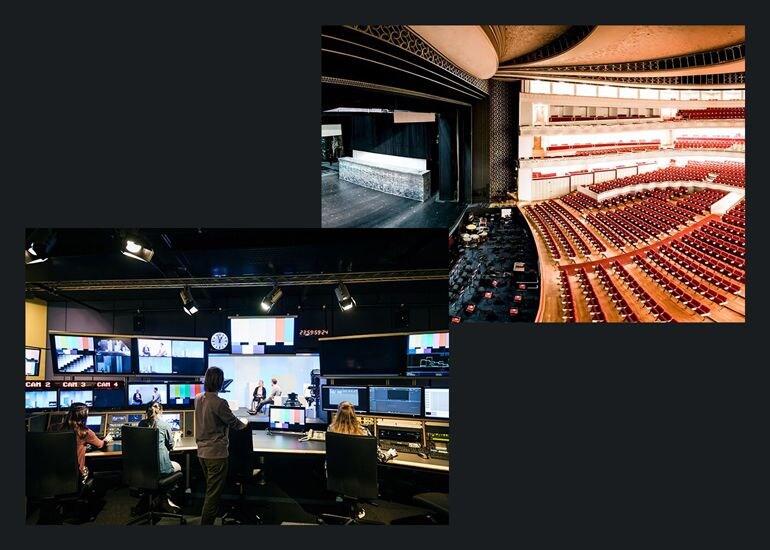
Adding Broadcast Package or Theatre Package to access functions essential to broadcast and theatrical applications.
The Broadcast Package adds seven essential broadcast functions, including Mix Minus, and Audio Follow Video, while the Theatre Package brings immersive control functions along with 4 Bank EQ/DYN, Actor Library, and other functions that are useful for musical and theater applications. A Loudness Meter will be added in the future updates.
Licenses are managed via the PV Portal app, which allows a single license to be activated and deactivated for use across multiple consoles. (Not available in some regions)
PY Cards—expanded connectivity and control
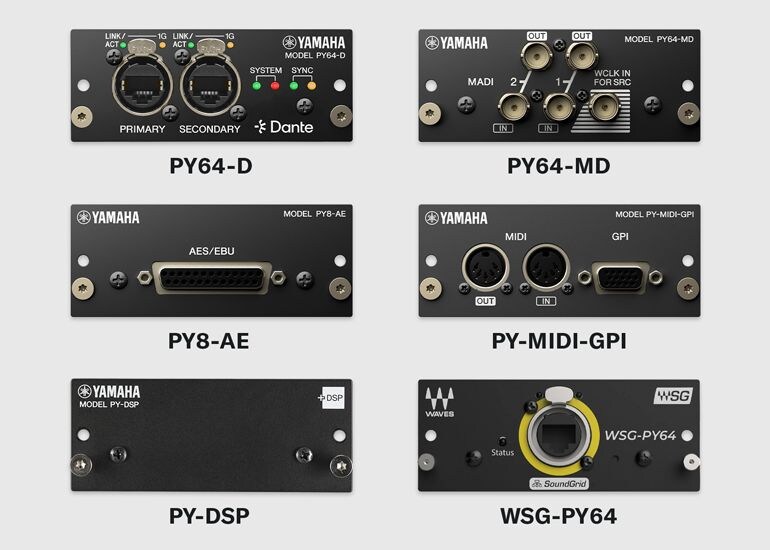
The PY slot offers up to 64 channels of additional I/O. Insert any one of a variety of cards to allow connection with a variety of audio formats and expansion of control functions. The PY64-D features a Dante-compatible sampling rate converter (SRC). The PY64-MD supports 64 channels of MADI I/O. The PY8-AE features an AES/EBU D-sub 25-pin connector for 8 channels of I/O. The PY-MIDI-GPI adds MIDI/GPI control via DIN 5-pin and D-sub 15-pin connectors. The WSG-PY64 from Waves Audio Ltd. connects to the Waves Soundgrid system, enabling the use of Waves plug-ins.
Recording options to suit any workflow and environment
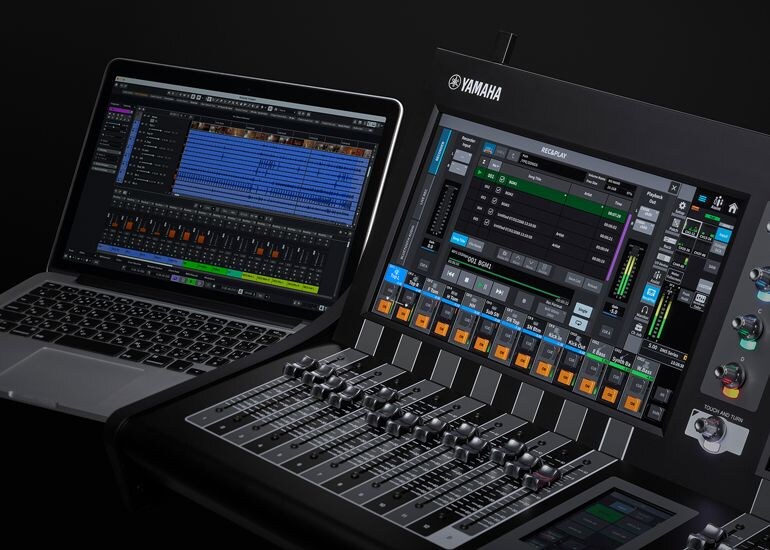
Easy-to-configure USB recording and playback functions allow two-track recording without the need for additional equipment, ideal for recording performances and playing background music. The DM5 also includes Nuendo Live software for reliable multitrack capture when recording live and supports multitrack audio recording with up to 18 channels of I/O via the USB connection on the rear panel or up to 64 channels using Dante. It also features a Virtual Sound Check function that allows you to adjust sound systems in a live-performance setting—even without the artist present.
CONTROL - Experience refined precision
In a digital mixer, control functions are essential for achieving better sound, faster. The DM5 series offers seamless integration with other connected devices for two-way control, as well as remote operation capabilities that enhance your workflow. Together, these capabilities help bring performances to life.

Customize controls your way
Freely assignable User Defined Knobs and a 4.3-inch display let you customize the interface to suit your preferences.
Located within easy reach of the operator, the 4.3-inch display features six glass keys that can be freely assigned parameters. The display can also be configured to display the User Defined Keys and Fader Bank Select to suit your preferences.

Four User Defined Knobs beside the screen provide flexible hands-on control, allowing operators to assign their preferred parameters as they like. In addition, Dynamic Mode automatically follows selections in Selected Channel View and assigns the relevant function parameters, combining intuitive operation with customizable control tailored to each operator’s workflow.
Total control of your audio system
The DM5 series offers control and monitoring of Yamaha I/Os and power amplifiers as well as third-party wireless receivers, interfaces, and personal monitoring systems, providing a seamless workflow across your entire audio system.
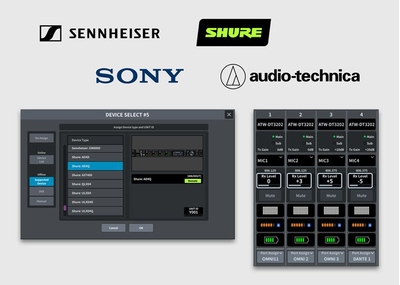
Monitoring and control are supported for some 3rd-party wireless receivers. Supported devices: (confirmation required)
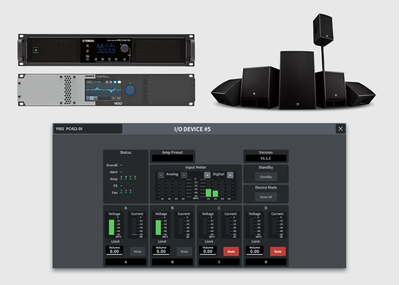
Remote control of mute and volume is supported on PC series amplifiers and other Yamaha power amplifiers and powered speakers, as well as the NEXO NXAMP.

Remote control of head amps, phantom power, and other parameters is supported on the RUio1608SB-D and other Yamaha I/O devices. (The parameters that can be controlled depend on the model.)
Prepare offline, control from anywhere.
The DM5 series supports the DM Editor application for Windows and Mac, enabling offline setup and editing for advance preparation as well as online backup management. Both the DM5 series and DM7 series work with this application, with mutually compatible console data files for smooth data exchange. StageMix and MonitorMix provide convenient remote control from anywhere in the venue, while ProVisionaire Control PLUS offers a versatile custom control platform that helps bring your ideal system operation to life.
DM Editor

DM Editor
The DM5 series and DM Editor share a common GUI, ensuring quick, intuitive operation with no learning curve. Faders can also be shown on the editor app, allowing precise adjustments over a wireless connection even when far from the console.
DM StageMix

DM StageMix
DM StageMix offers remote control from an iPad, ideal for fine-tuning monitoring from the stage and making adjustments from different positions in the audience. Two iPads can be connected via a Wi-Fi access point connected to the console, enabling simultaneous remote operation.
MonitorMix
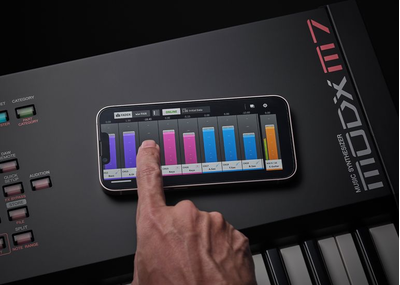
MonitorMix
The DM5 series also supports MonitorMix, an app that can be used as a personal monitoring system for performers. Access can also be password-protected, ensuring settings remain secure and allowing performers to use it with confidence.
ProVisionaire Control PLUS
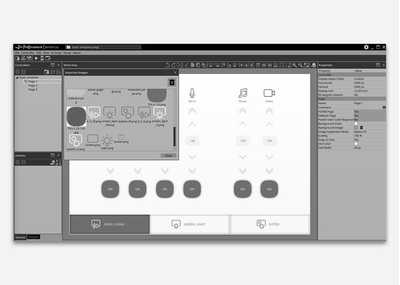
ProVisionaire Control PLUS
Use ProVisionaire Control PLUS to create custom controllers that bring together just the parameters you want.
ProVisionaire Kiosk
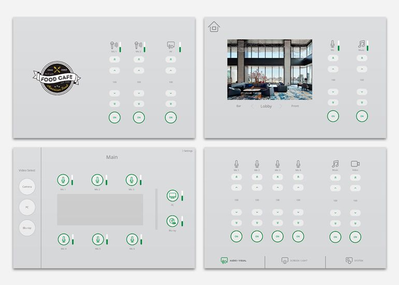
ProVisionaire Kiosk
In restaurants and other venues with live music, staff unfamiliar with the mixer may need to operate it, for example, to play background music (BGM) between sets. ProVisionaire Control PLUS lets you create a custom controller with just a BGM fader and a play button, simplifying operation and preventing mistakes.
DAW Remote—streamline music production

DAW Remote functions help streamline your audio production and recording workflow by synchronizing the console with a DAW for tactile control of level adjustments, transport functions, and more, using the DM5’s faders, buttons, and knobs. Access to DAW Remote Mode is easy—just press the fader bank DCA and select “DAW Remote.”
Product Information
DM5 Digital Mixing Console
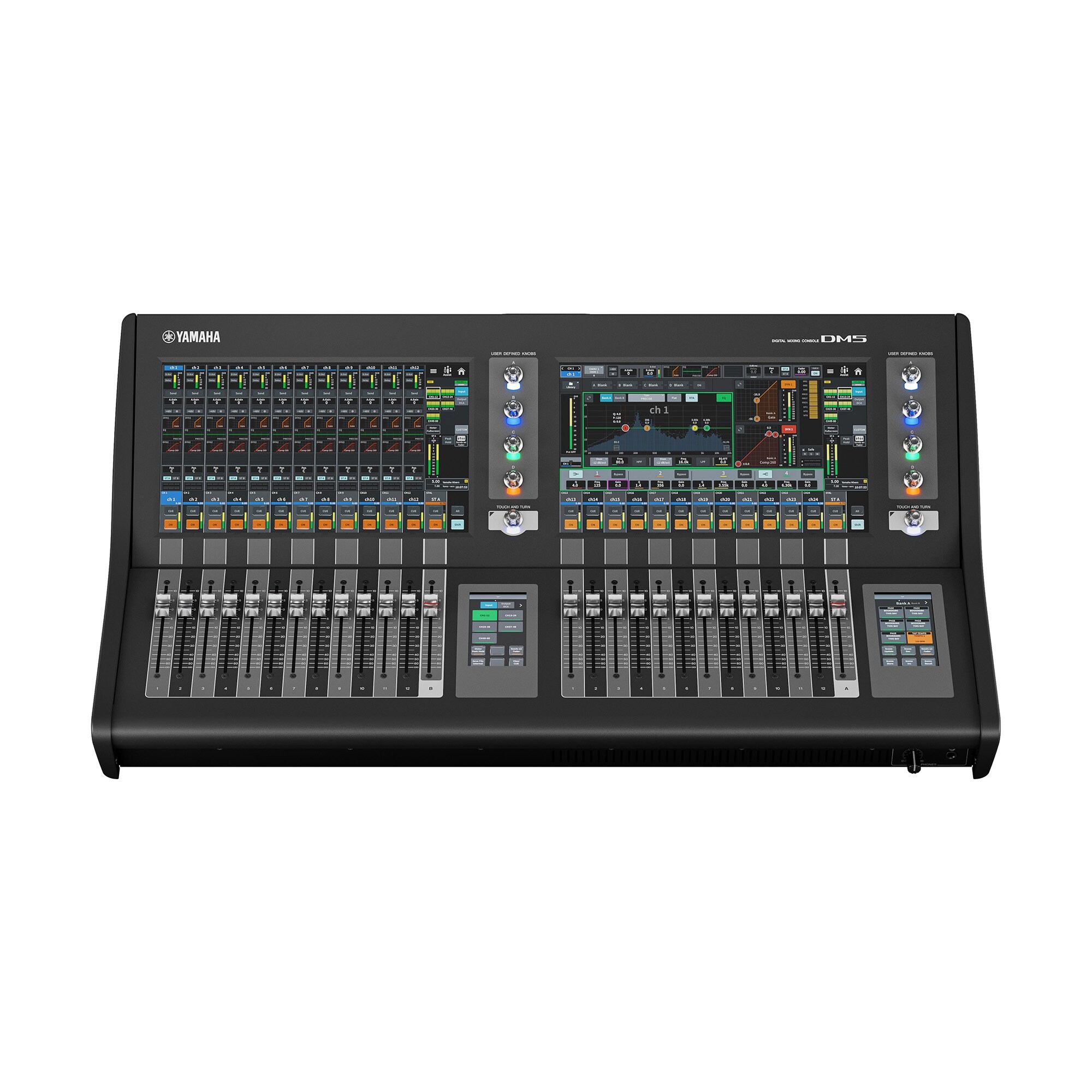


The DM5 is a Dante-equipped versatile digital mixing console with unparalleled sound quality, ease of operation, and high reliability that make it perfect for a wide range of applications. The DM5 is configured with 26 faders and a 2 x 13.3” + 2 x 4.3” multi-touch screen with glass keys.
- Input mixing channels: 60 mono
- Buses: 24 Mix + 12 Matrix + 2 Stereo
- Display: 13.3" multi-touch screen x 2, 4.3" multi-touch screen x 2
- Faders: 26 (12 + 1 + 12 +1)
- Analog I/O: 32 inputs / 16 outputs
- Dante: 64 in / 64 out
- Slot: PY Slot x 1
- USB Audio Interface: 18 in / 18 out
- Power consumption: 130 W
- Dimensions (W x H x D): 826 mm x 235 mm x 441 mm (32.5” x 9.3” x 17.4”)
- Net Weight: 21.5 kg (47.4 lb)
DM5 Compact Digital Mixing Console
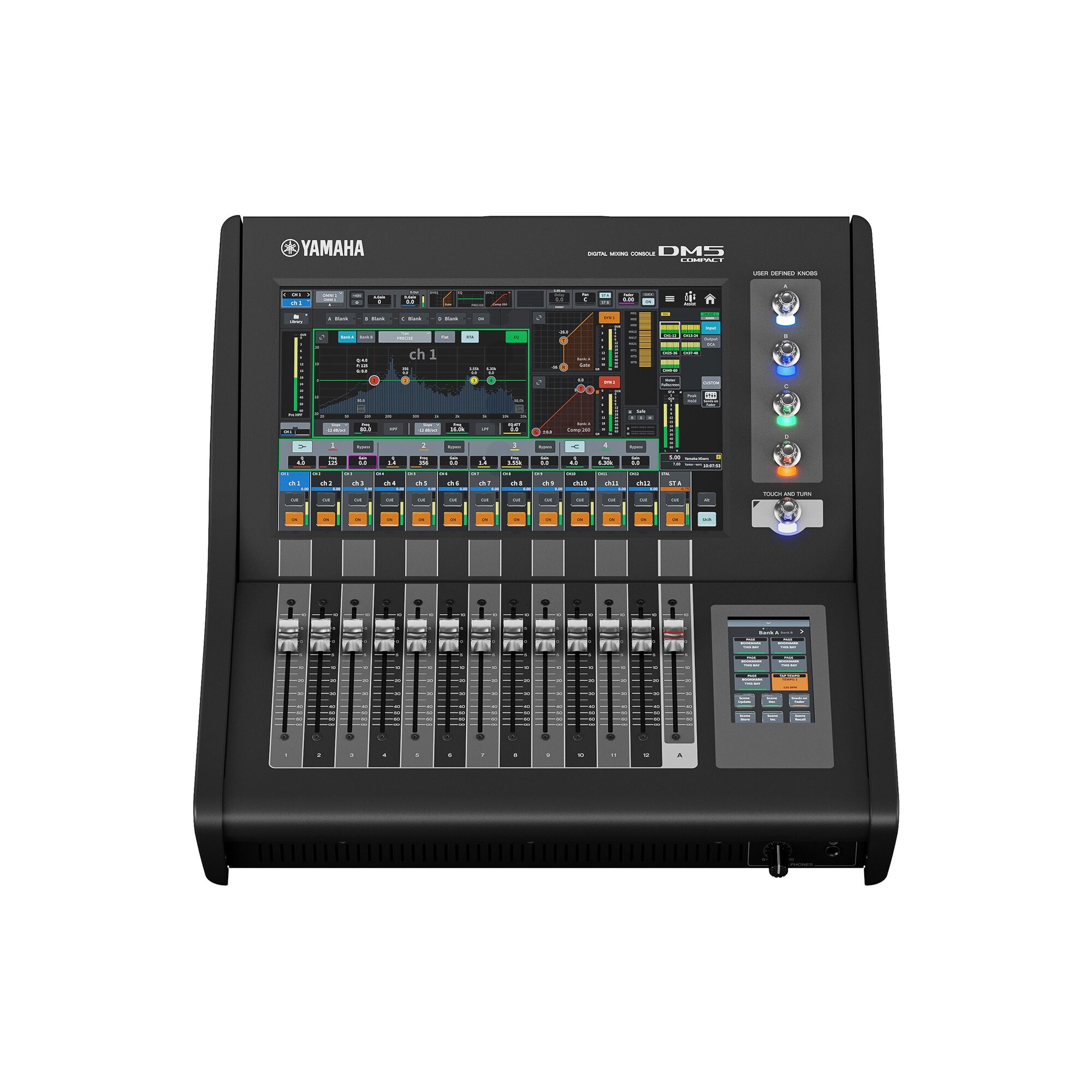


The DM5 Compact is a Dante-equipped versatile digital mixing console with unparalleled sound quality, ease of operation, and high reliability that make it perfect for a wide range of applications. The DM5 Compact is configured with 13 faders and a 1 x 13.3” + 1 x 4.3” multi-touch screen with glass keys.
- Input mixing channels: 48 mono
- Buses: 24 Mix + 12 Matrix + 2 Stereo
- Display: 13.3" multi-touch screen x 1, 4.3" multi-touch screen x 1
- Faders: 13 (12+1)
- Analog I/O: 16 inputs / 16 outputs
- Dante: 64 in / 64 out
- Slot: PY Slot x 1
- USB Audio Interface: 18 in / 18 out
- Power consumption: 130 W
- Dimensions (W x H x D): 446 mm x 235 mm x 441 mm (17.6” x 9.3” x 17.4”)
- Net Weight: 13.3 kg (29.3 lb)
Software Package
Dugan Automixer License (DEK-DUGAN)
The Dugan Automixer License (DEK-DUGAN) is a software package that expands the number of channels of the Dugan Automixer function featured on DM5 series consoles. It allows the Dugan Automixer function to control up to 60 channels at a time on the DM5 console and 48 channels on the DM5 Compact.
Broadcast Package (DEK-BR)
The Broadcast Package (DEK-BR) is a software package that adds broadcast functionality to the DM7 and DM5 series.
- Functions: Mix Minus, Fader Cue Release, Back Stop PFL, Audio Follow Video, Source Selection Mix Mode, Loudness Meter (Future update), Meter Scale, 5.1 Surround
Theatre Package (DEK-TH)

The Theatre Package (DEK-TH) is a software package that adds theater functionality to the DM7 and DM5 series.
- Functions: 4 Bank EQ/DYN, Actor Library, DCA Preset, DCA Scene Grid, MIDI Output Event on Scene, Sound xR Image Control
PY Card
PY-DSP Audio Processing Card
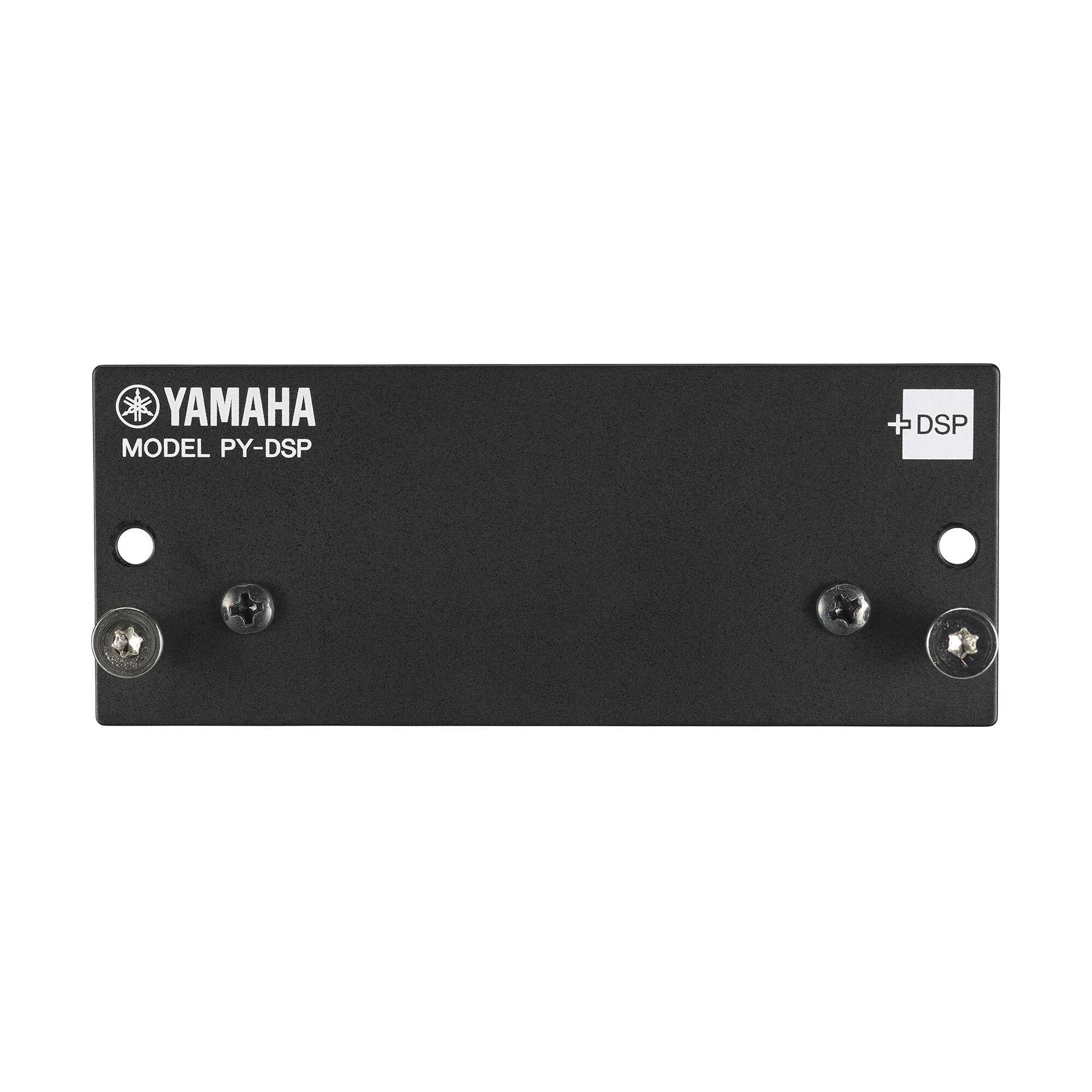
The PY-DSP audio processing card provides an additional 32 slots (16 × 2) of DSP resources to the plug-ins in the Premium rack.
- Number of DSP resources: 32 slot (16 x 2)
- Dimensions (W x H x D): 100 mm × 40 mm × 135 mm (4.0" x 1.6" x 5.3")
- Net weight: 0.1 kg (0.2 lb)
PY64-D Audio Interface Card
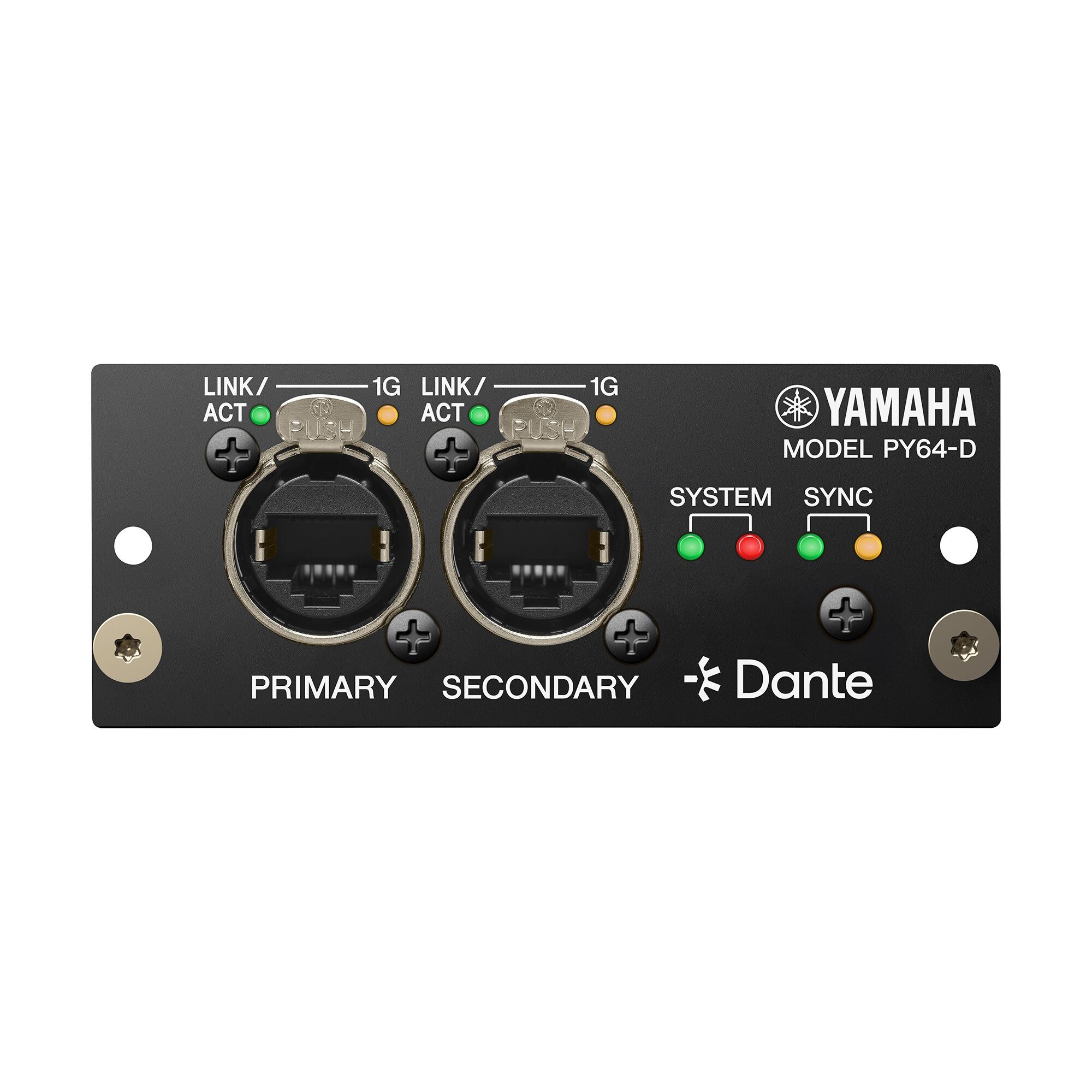
The PY64-D audio interface card supports the Dante audio network protocol, handling up to 64 input and 64 output channels of 96 kHz/32-bit digital audio. Onboard sample rate conversion allows connection between devices operating at different sampling rates.
- Number of channels: 64 in / 64 out
- Dante: Primary / secondary ports with SRC
- Dimensions (W x H x D): 100 mm x 40 mm x 135 mm (4.0" x 1.6" x 5.3")
- Net eight: 0.3 kg (0.7 lb)
PY64-MD Audio Interface Card
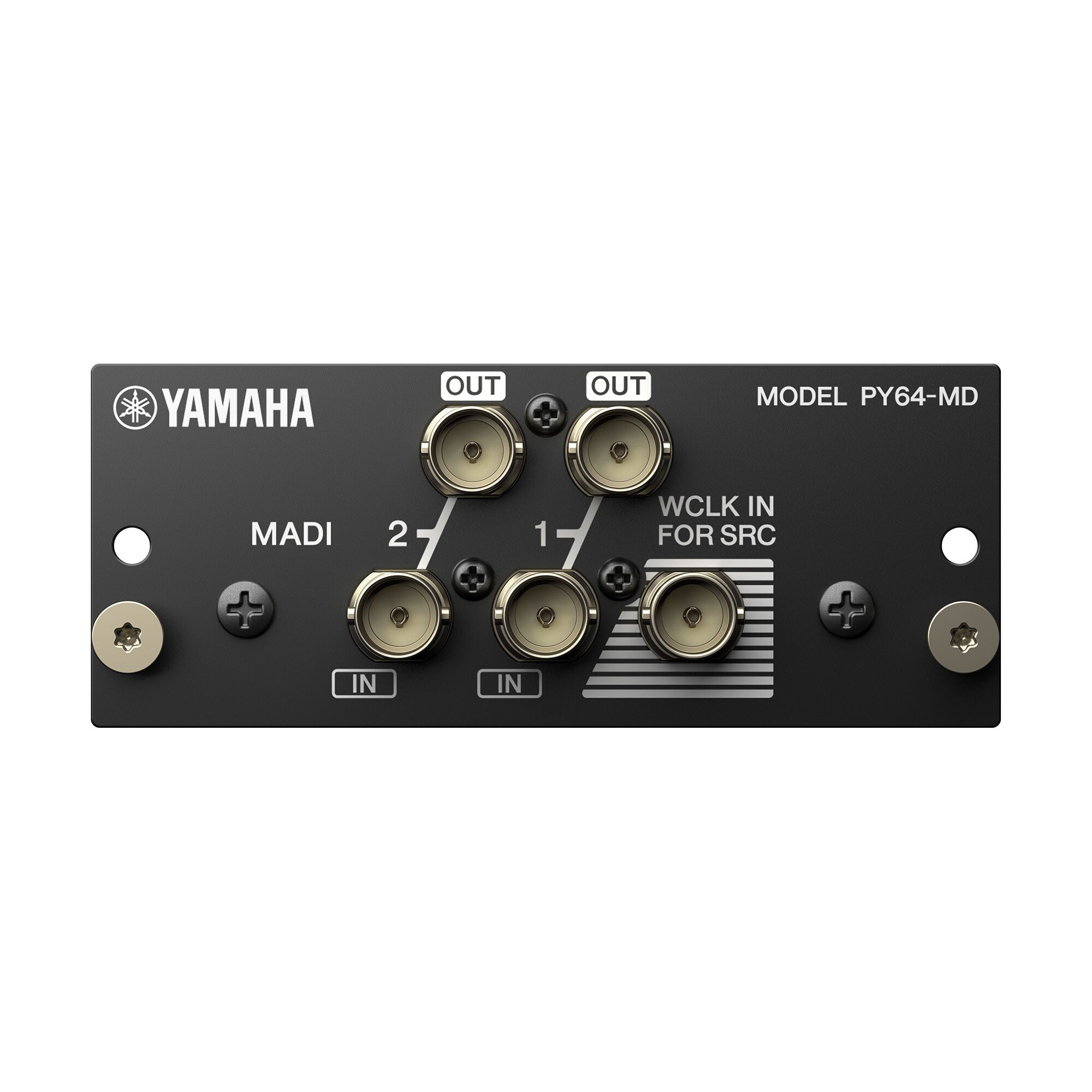
The PY64-MD audio interface card provides MADI connectivity, handling up to 64 input and 64 output channels of 96 kHz / 24-bit digital audio. The onboard sample rate converters allow interconnection between devices operating at different sampling rates.
- Number of Channels: 64 in / 64 out
- MADI input: 2 BNC connectors with SRC (Up to 64 channels on each terminal)
- MADI Output: 2 BNC connectors with SRC (Up to 64 channels on each terminal)
- Dimensions (W x H x D): 100 mm x 40 mm x 141 mm (4.0" x 1.6" x 5.6")
- Net Weight: 0.2 kg (0.5 lb)
PY8-AE Audio Interface Card
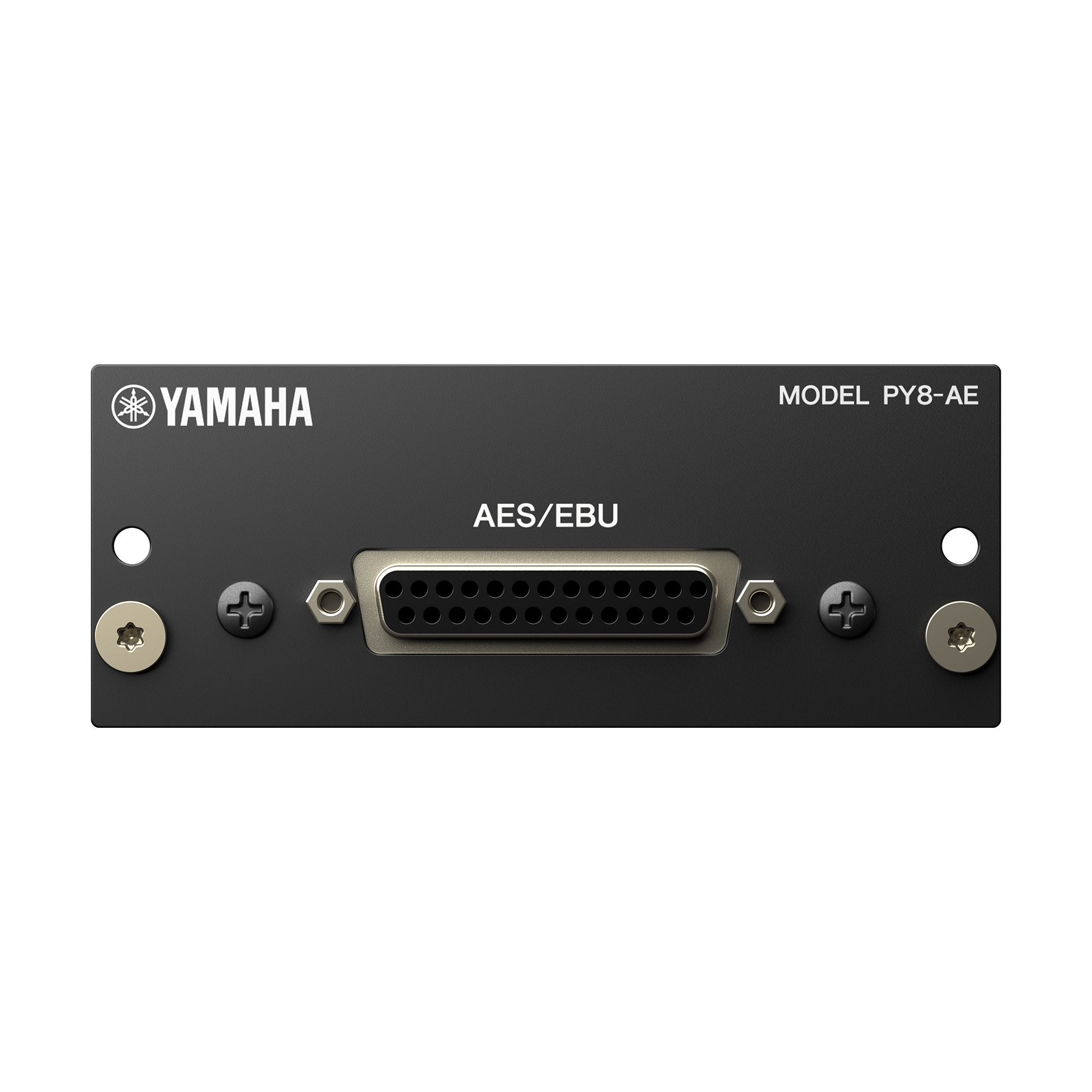
The PY8-AE audio interface card provides AES / EBU connectivity, handling up to 8 input and 8 output channels of 96 kHz / 24-bit digital audio. The onboard sample rate converters for the input channels allow connection between devices operating at different sampling rates.
- Number of Channels: 8 in / 8 out
- AES/EBU terminal: D-sub 25-hole chassis (8 in / 8 out)
- Dimensions (W x H x D): 100 mm x 40 mm x 135 mm (4.0" x 1.6" x 5.4")
- Net Weight: 0.2 kg (0.5 lb)
PY-MIDI-GPI Interface Card
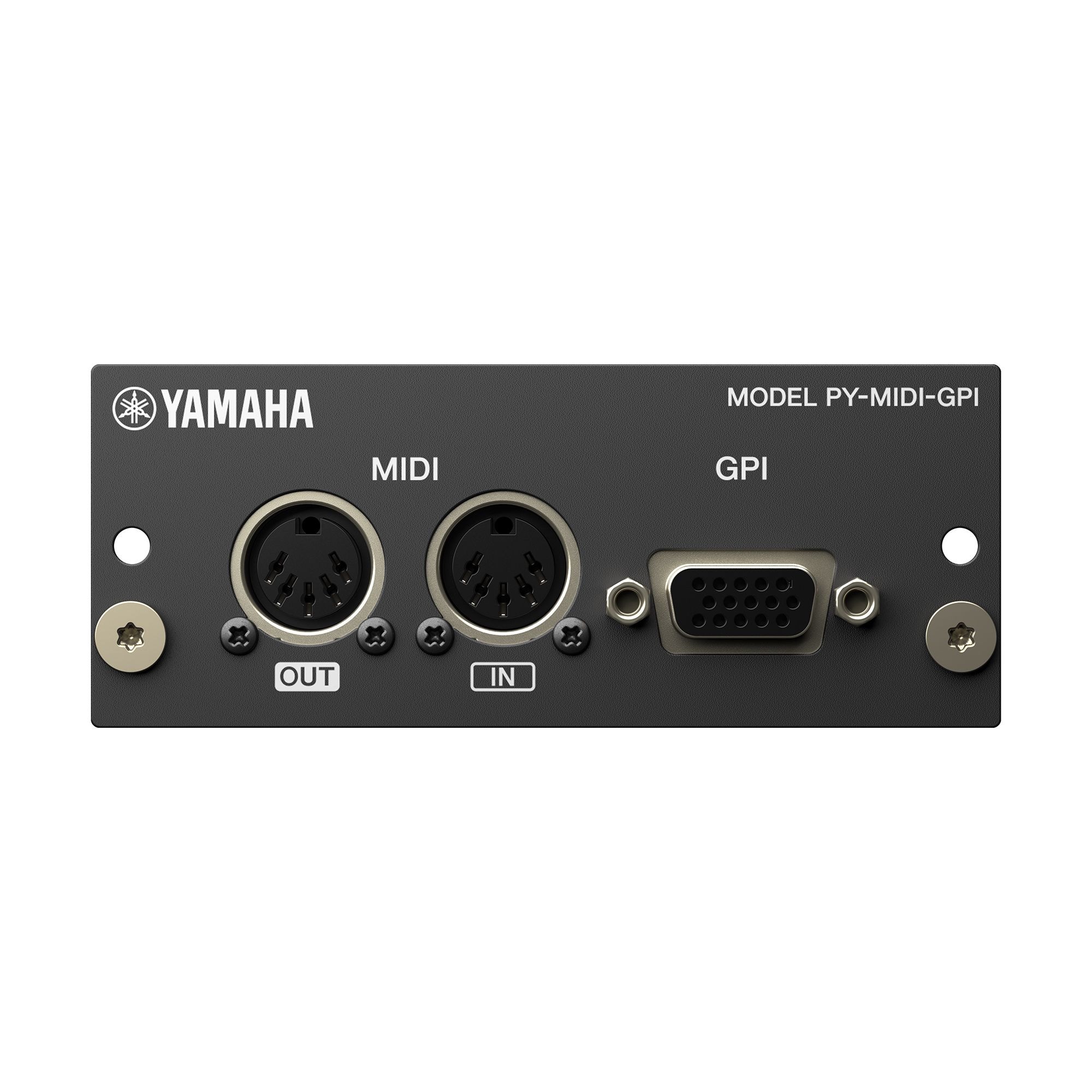
The PY-MIDI-GPI interface card provides MIDI and GPI connectivity, equipped with MIDI DIN connectors that can handle up to 5 input and 5 output channels of GPI. The PY-MIDI-GPI extends the scope of host device connections that can be controlled.
- MIDI: IN/OUT (DIN 5 pin)
- GPI: D-sub 15-hole chassis (5 in / 5 out)
- Dimensions (W x H x D): 100 mm x 40 mm x 135 mm (4.0" x 1.6" x 5.4")
- Net Weight: 0.1 kg (0.3 lb)
Rack Mount Kit for DM5 Compact
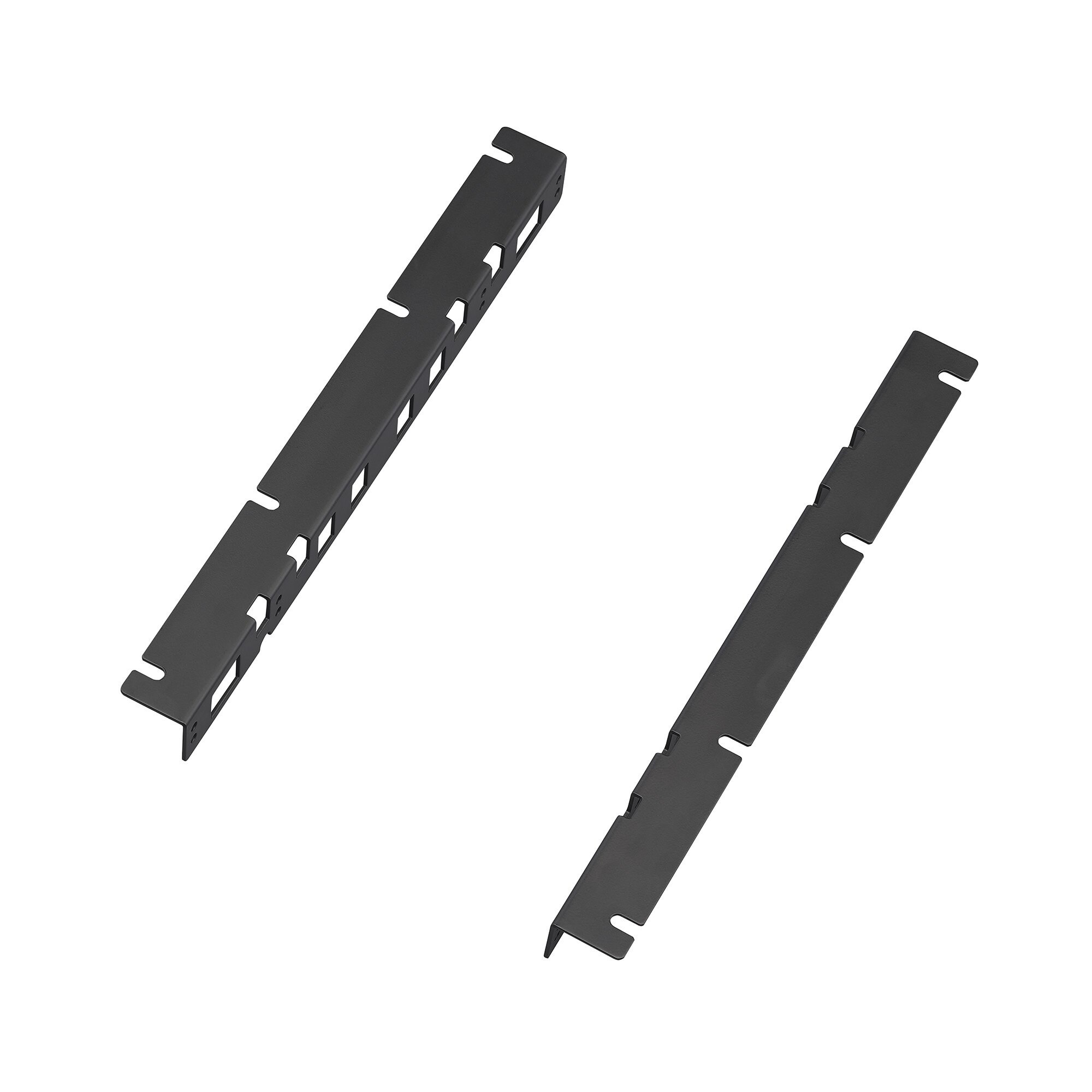


The colors and finishes shown may vary from those on the actual products.